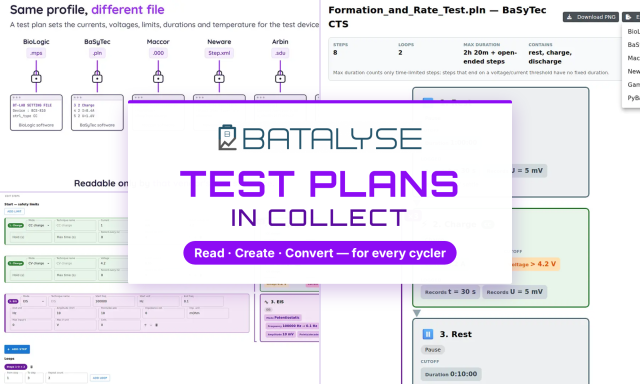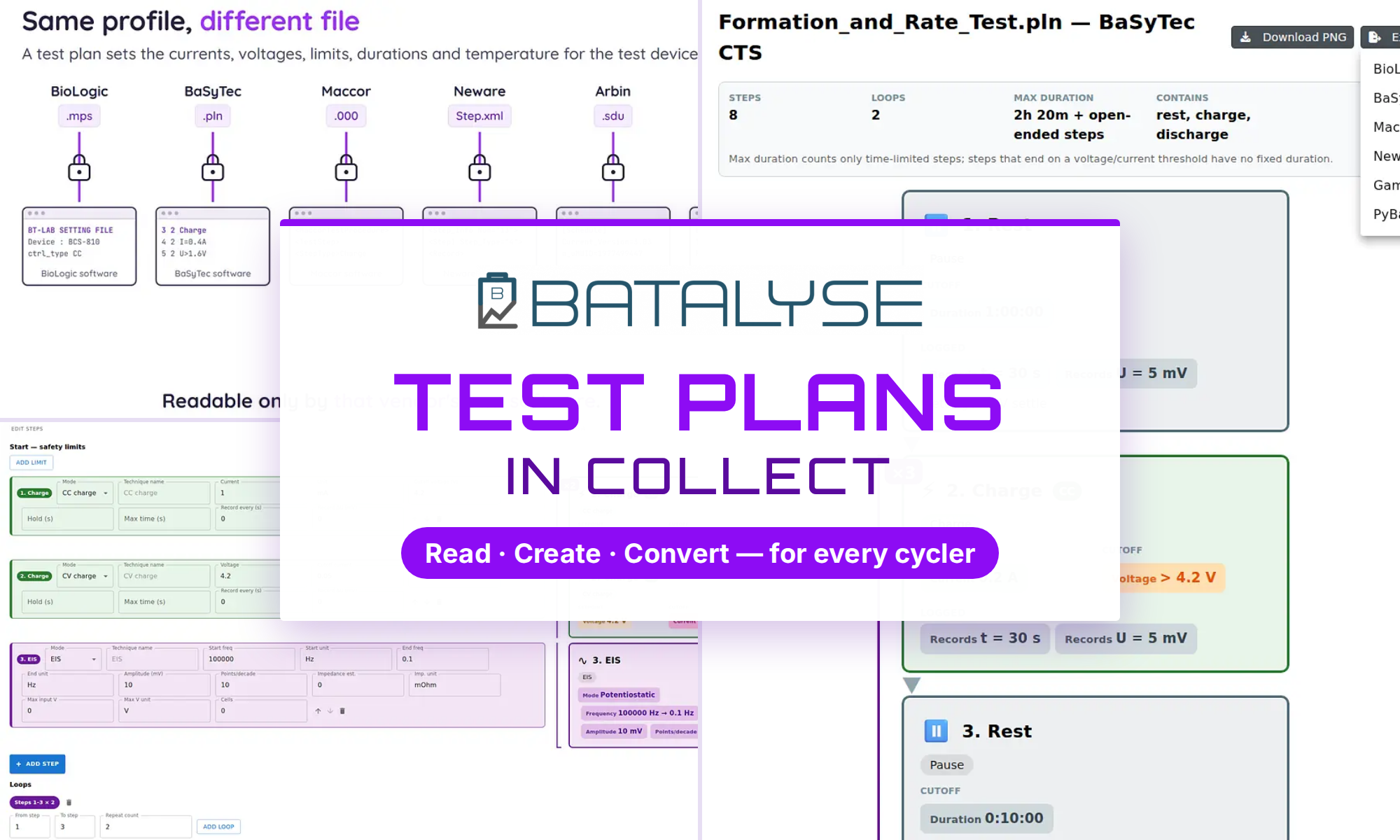
Batalyse Collect now keeps every test plan in one place, whatever device wrote it. It reads plans from BioLogic, BaSyTec, Maccor, Neware, Arbin and Gamry, draws each one as a diagram, lets you build new plans for any supported device, and exports them to the format the next cycler needs — or to PyBaMM for simulation.
Batalyse GmbH · Walzbachtal
Same procedure, different file
A test plan tells the test device how to treat a battery cell: which currents and voltages to apply, the limits to respect, how long each step runs, and at what temperature when a climate chamber is connected.
Every vendor stores that plan in its own file format and structure. The procedure may be identical — the file is not. A BioLogic .mps, a BaSyTec .pln, a Maccor .000, a Neware Step.xml, an Arbin .sdu and a Gamry .dta have nothing in common beyond their purpose, and each one can normally only be read by the software of the vendor that wrote it. A BioLogic plan runs on any BioLogic device — but never on a Maccor.
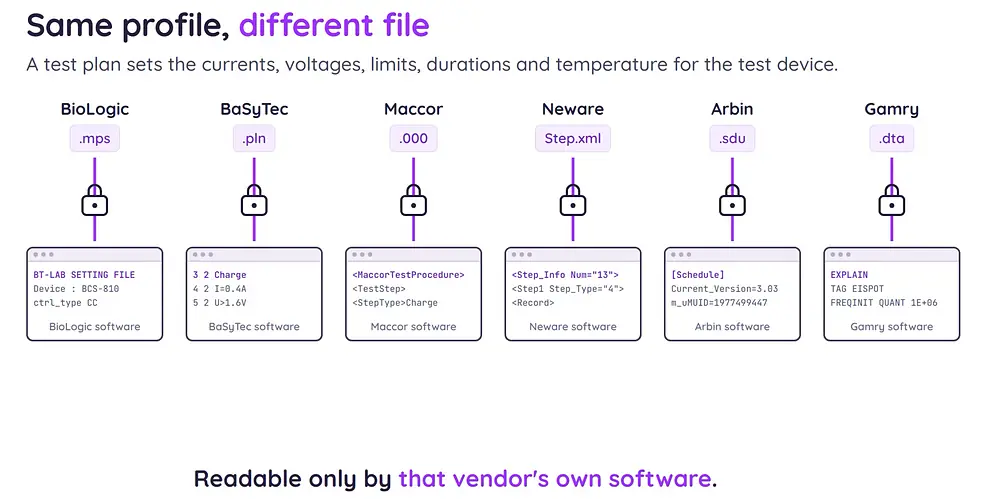
Batalyse Collect reads all of them.
Plans arrive on their own
Where your test devices are reachable on the network, Collect collects their test plans by itself, every few minutes. Each plan is filed under the device that ran it and linked to its own test, so every measurement carries the exact procedure behind it — no guessing which version of a protocol produced which result.
Every user can also upload test plans manually. Uploaded or collected, they join the same library: searchable by name, by data type and by measuring device, with access set per plan so each group sees only its own procedures.
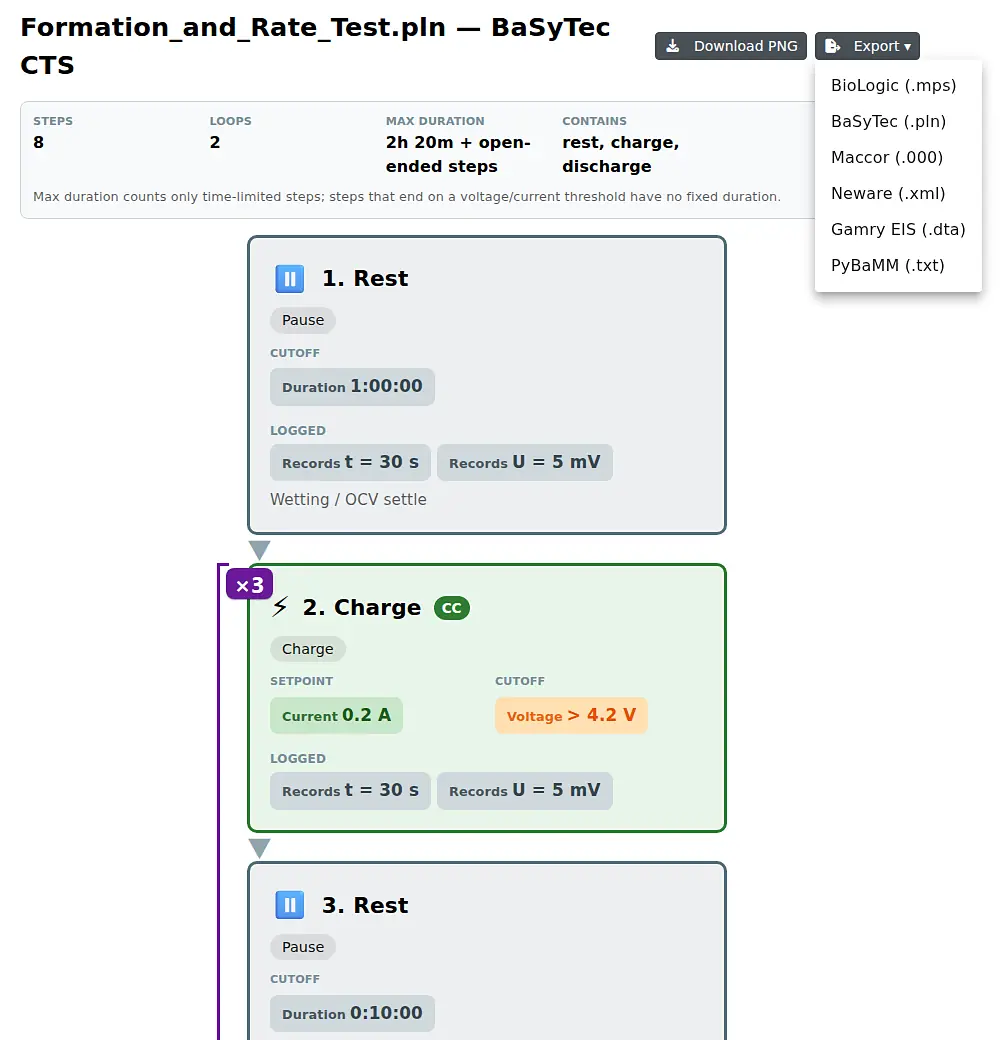
Read any plan at a glance
Open a plan and Collect draws it: the safety envelope first, then every step in order — rest, charge, discharge, impedance — with its current, its cut-off and its recording trigger on each box. Loops are drawn as loops. A summary counts the steps, the loops and the longest run time.
You can read a plan from a cycler you have never used, without that vendor’s software, and download the diagram as an image for a report.
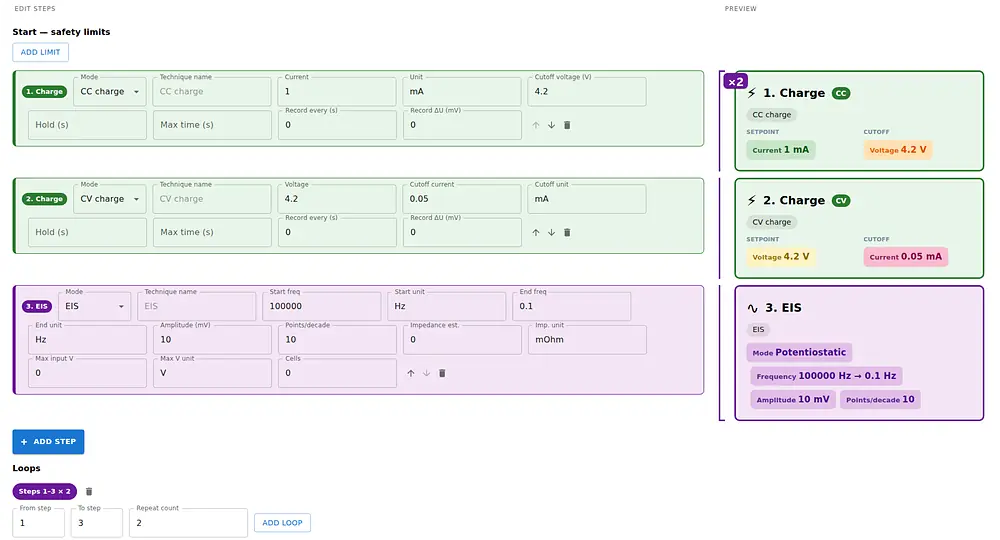
Write a new plan — for any test device
You can create a test plan in Collect for any supported device, or open an existing one and change it. Add a step and choose what it does: constant current, constant voltage, a pulse, a rest, or an impedance measurement. Set the values, wrap the steps in a loop, and save it to the library.
Collect checks the plan as you build it — every current-controlled step needs a current, every cut-off a real value, and a loop has to point at steps that exist. Before a test runs, we still recommend checking the finished plan on the device itself.
Hand it to a different cycler
Export any plan to the format the next device needs:
- BioLogic
.mps - BaSyTec
.pln - Maccor
.000 - Neware
.xml - Gamry EIS
.dta - PyBaMM
.txt
A plan written on one bench becomes a file another bench can run, in one click.
One target is not a cycler at all: PyBaMM, the open-source battery model used in research. Collect writes your plan in its language, so the same procedure can be simulated first. A simulation feature inside Batalyse is in development.
Where a step cannot be expressed in the target format, Collect names the step and the reason. Nothing is dropped in silence.
Is your cycler missing? We add its format free of charge, on request — write to contact@batalyse.com.
In short
| Read | BioLogic · BaSyTec · Maccor · Neware · Arbin · Gamry |
| Write | BioLogic · BaSyTec · Maccor · Neware · Gamry · PyBaMM |
| Collect automatically | Plans arrive from network-connected test systems, filed by device and linked to their tests |
| Create & edit | Build a plan for any supported device in Collect, validated as you go |
| Visualize | Every step, limit and loop in one diagram, downloadable as an image |
| Govern | Access set per plan, one searchable library per workspace |
Batalyse software can be tested free of charge and without obligation.