EIS Analyzer 2.4.0 is here. This release brings better fitting-result management, a brand-new Dynamic EIS workspace, a rebuilt fitting experience, and far richer Origin export — plus new instrument support (Maccor, Bio-Logic GEIS, three-electrode), smarter constrained fitting, and an in-app guide in 10 languages.
The Batalyse EIS Analyzer is a desktop application for analyzing Electrochemical Impedance Spectroscopy (EIS) data from batteries, fuel cells, supercapacitors and electrochemical sensors. It covers the complete workflow from raw data import through equivalent-circuit fitting, Distribution of Relaxation Times (DRT) analysis and Kramers-Kronig validation to Origin (.opju) and CSV export. Version 2.4.0 sharpens every one of those stages and opens a new chapter for time-resolved, operando diagnostics.
A rebuilt Fitting experience
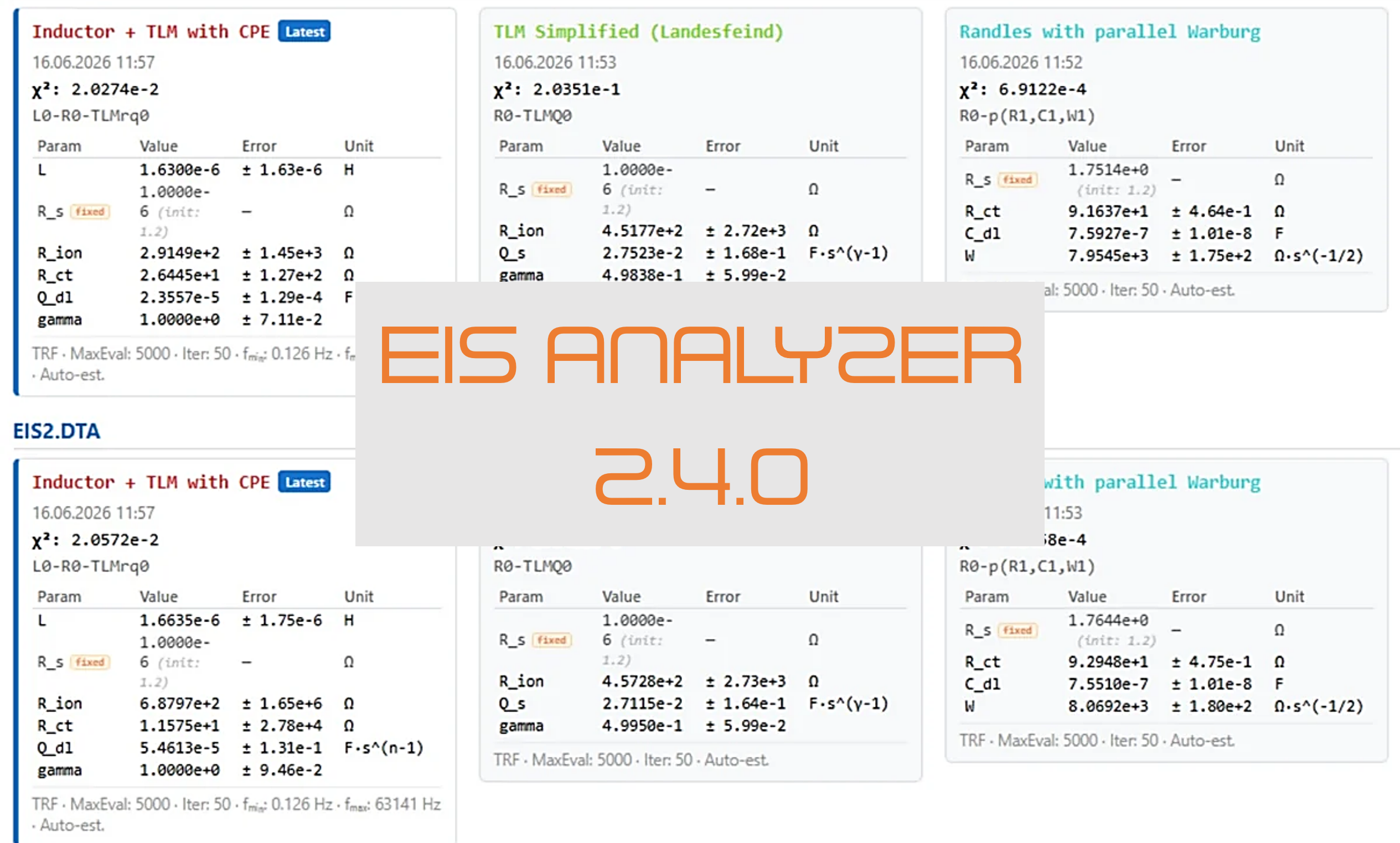
Manage, compare, and constrain fits without ever losing your place. Toggleable result chips let you display and compare several files or sweeps side by side; your selection persists across re-fits, and a mirrored picker sits in the fit-vs-data plot header.
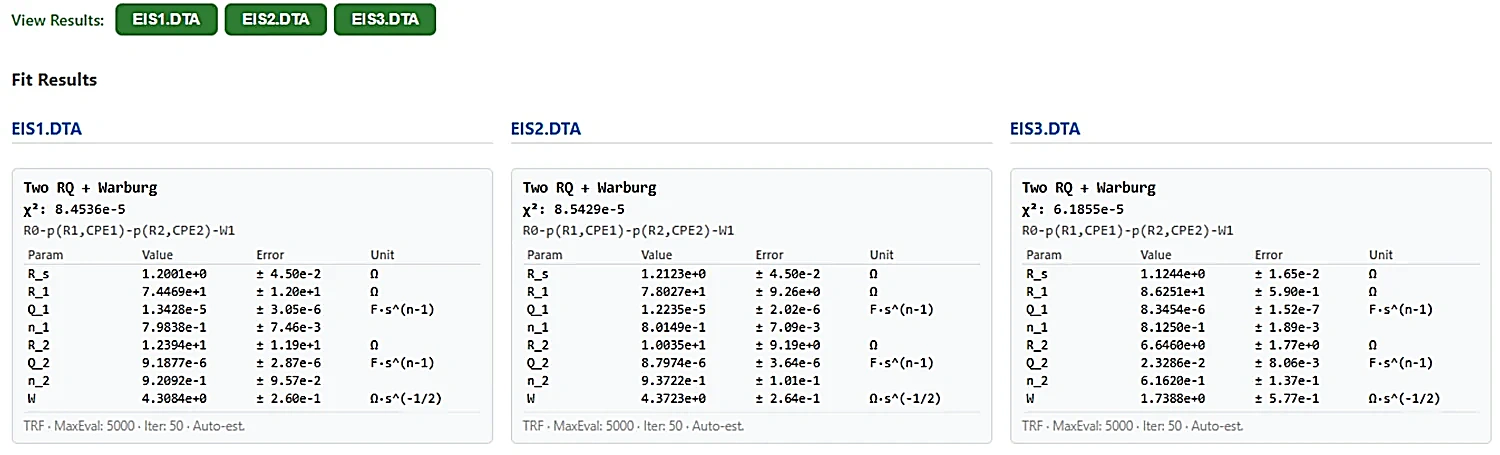
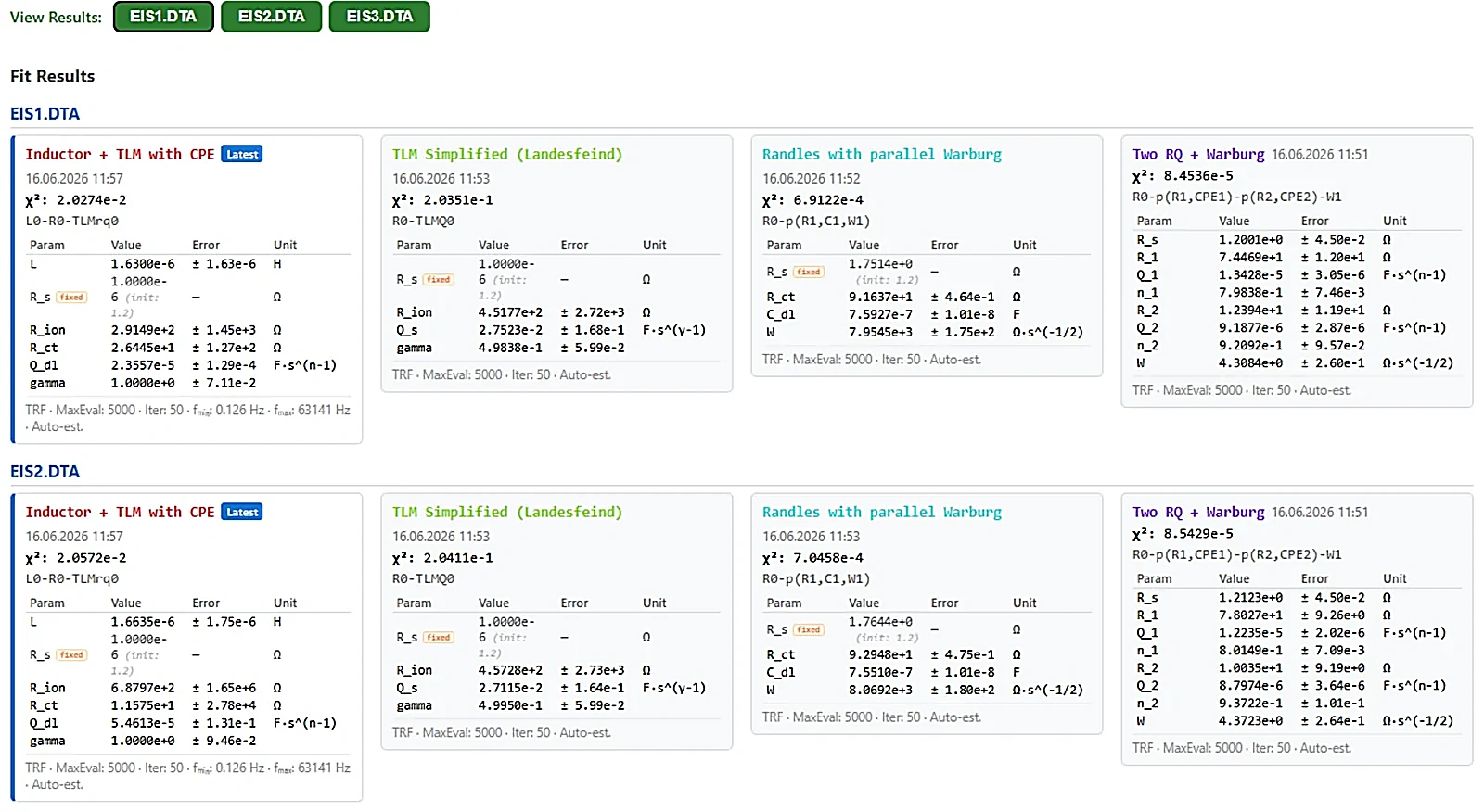
A new Fit Results grid arranges one card per fit on a cycle × model layout, with per-sweep fit history that survives reload, the fit date and time on every card, in-place sweep renaming, and a “Show all” for runs beyond 20 cycles.
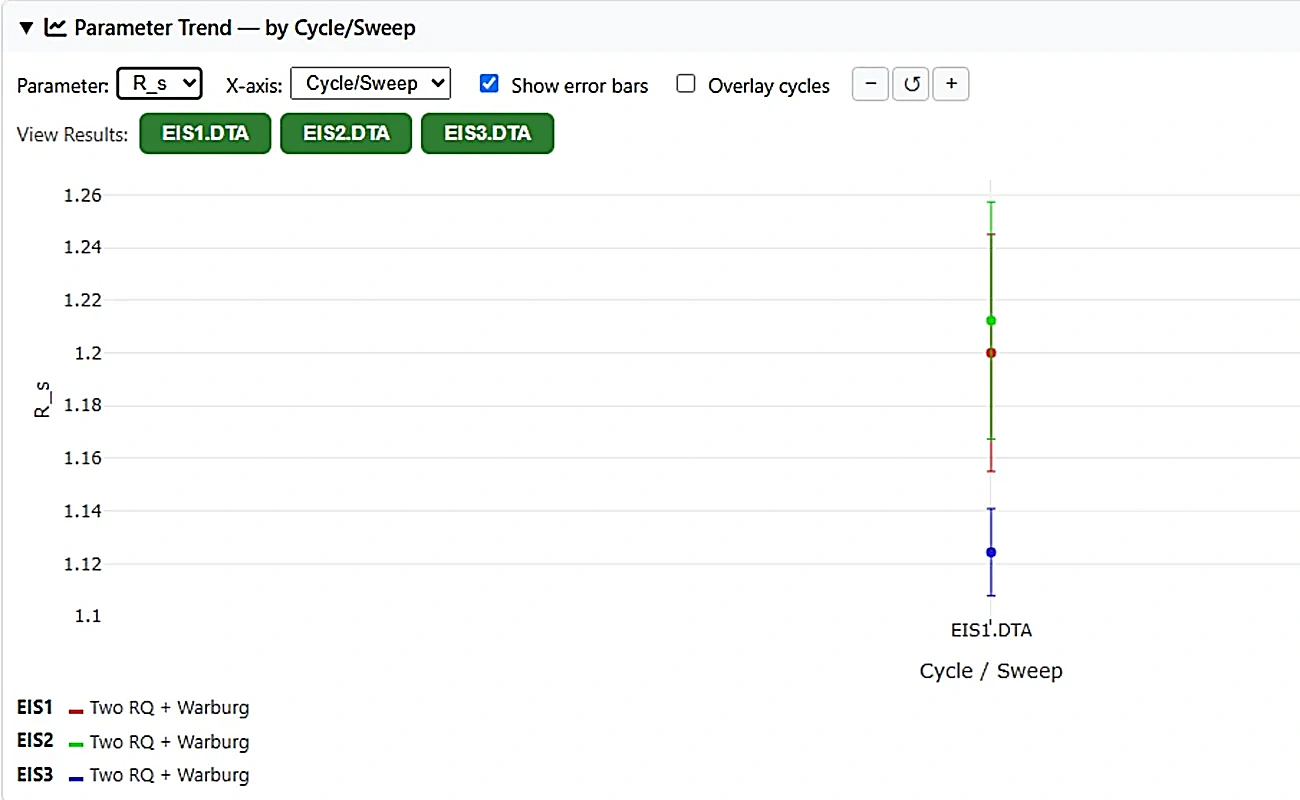
The new Parameter Trend view plots any fitted parameter (or χ²) across your sweeps, with a cycle-aware x-axis (cycle major, sweep minor) and a voltage x-axis mode. You can also toggle individual charge/discharge cycles on or off and overlay cycles by within-cycle position — one curve per circuit model, plus per-electrode curves for three-electrode data.
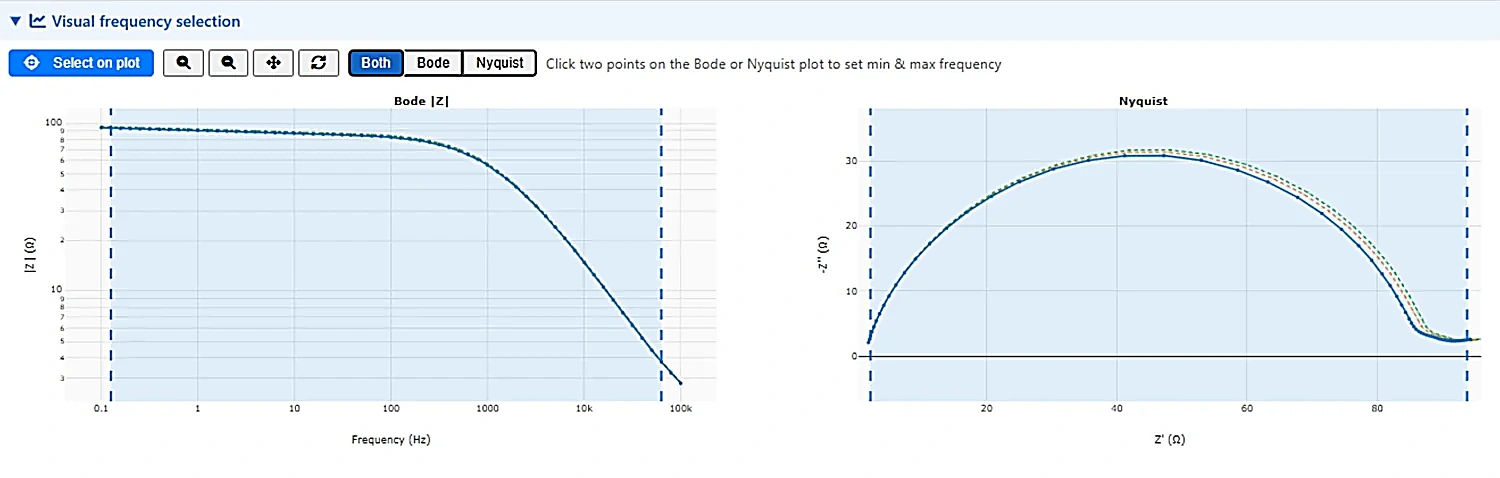
Pick your fitting frequency range by clicking directly on the spectrum — free-click anywhere, with a log-space snap to the nearest data point — using a full-width Bode/Nyquist picker that is also available inside the DEIS Fit-all dialog.
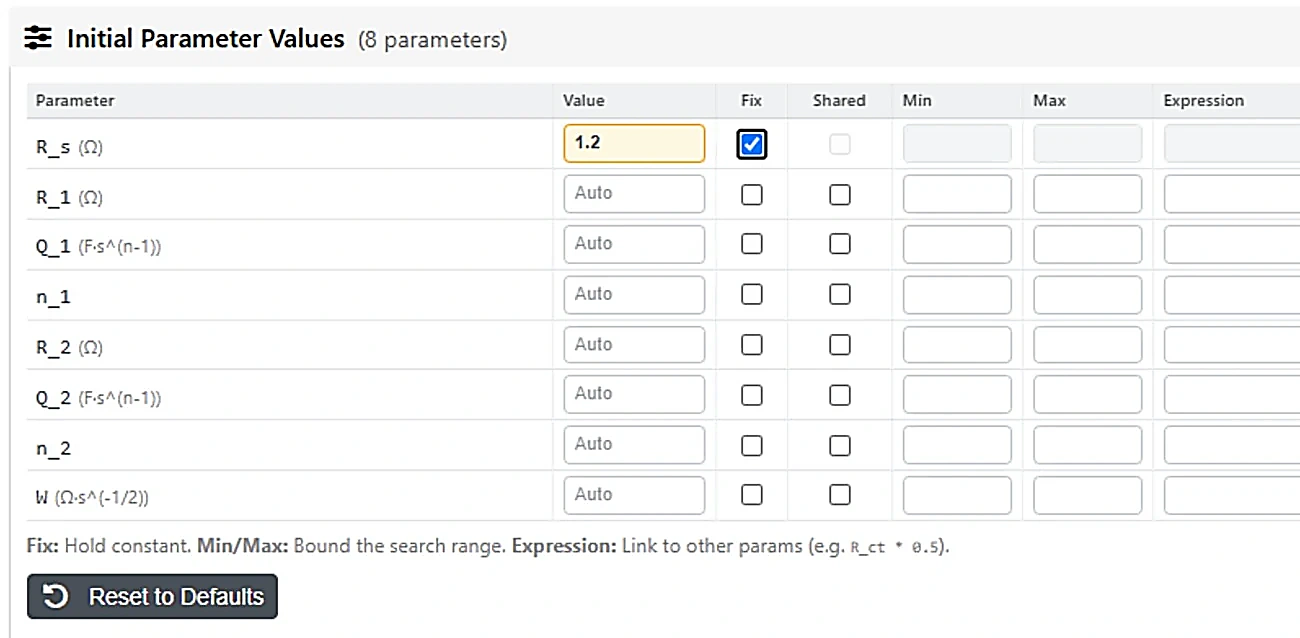
Under the hood, constrained fitting — bounds, fix/free, shared parameters across sweeps, and expressions — now lives in one unified table, with DRT-guided initial guesses and multi-start optimization. And both Auto-Analysis and Fitting show a live progress overlay that can be cancelled mid-run.
Dynamic EIS (DEIS) — a new workspace
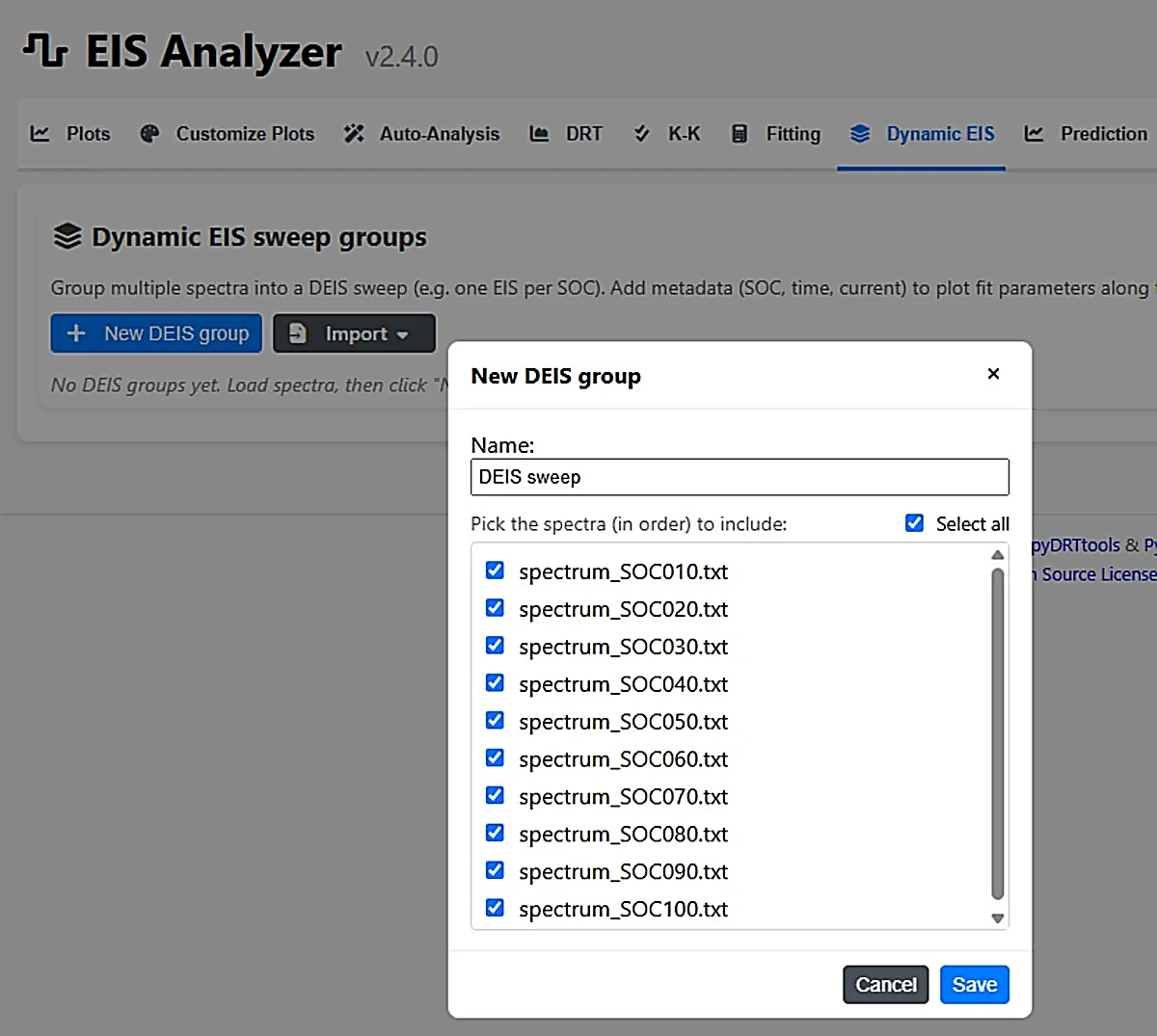
Dynamic EIS is a brand-new workspace, currently in development — a dedicated home for sweep groups and time-resolved diagnostics. Build and manage your DEIS sweep groups on a dedicated tab, then send them straight to trajectories, DRT, stationarity checks and diagnostics.
Import raw time-series from custom potentiostats and the Analyzer recovers the impedance for you: it removes slow drift, windows the signal, and extracts Z(ω) at the excitation frequencies, with no manual pre-processing. Coherent averaging over repeated cycles suppresses noise (∝ √N), and built-in signal-quality checks flag non-linear distortion and residual drift before they corrupt a fit.
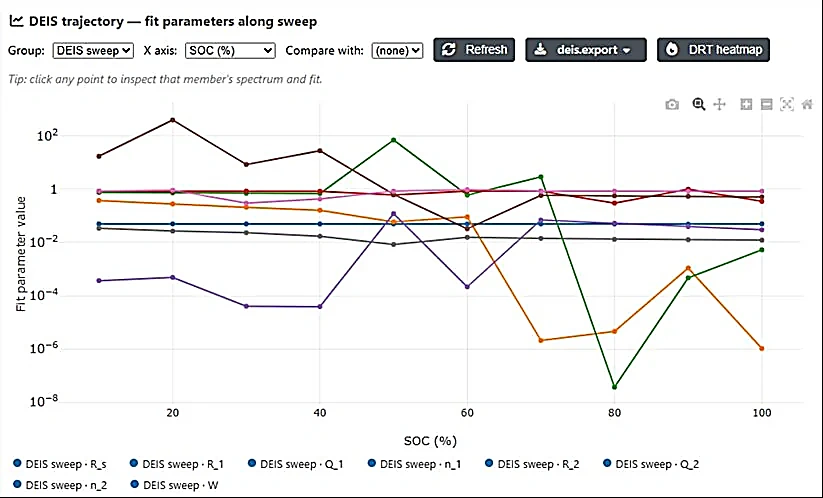
The heart of operando battery diagnostics is the parameter trajectory: track any fitted circuit parameter (Rct, Rs, capacitance, …) versus SOC, time, or cycle number, and watch how the interface evolves through a charge/discharge — with error bars, a compact multi-column legend, and two-group overlay comparison.
DRT, frame by frame: Distribution-of-Relaxation-Times analysis (with automatic regularization) plus a DRT-evolution heatmap across the whole sweep separate SEI, charge-transfer and diffusion processes and let you watch each one shift as the cell cycles. A one-click Auto-Analyzer runs the full pipeline — DRT, fit, Kramers-Kronig, features — across every sweep with live progress.
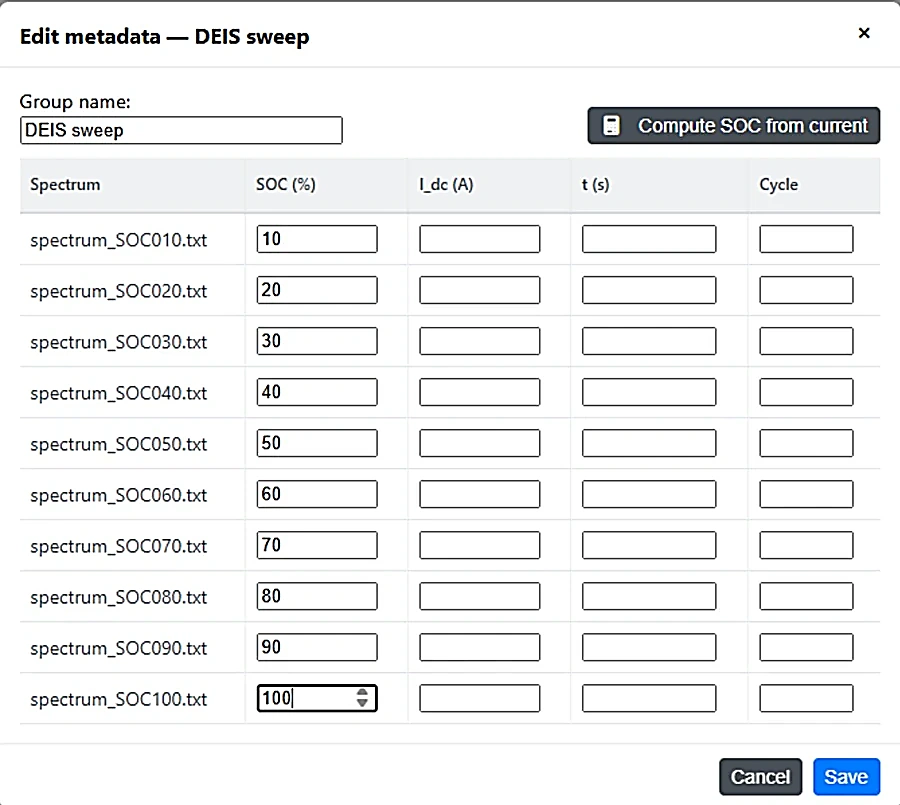
SOC is computed automatically by coulomb counting, with per-member drill-down: click any trajectory point to inspect its spectrum and residuals. You can also enter SOC, current, time and cycle per spectrum by hand.
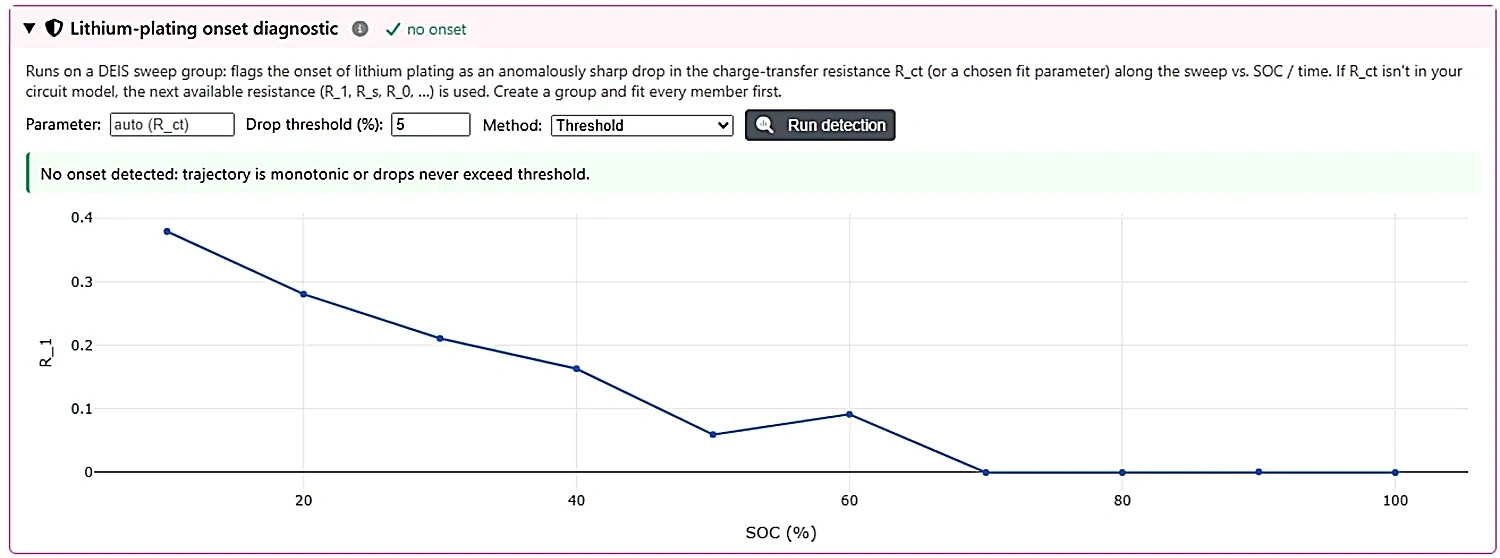
A dedicated lithium-plating onset diagnostic flags the onset of plating as an anomalously sharp drop in the charge-transfer resistance Rct (or a chosen fit parameter) along the sweep vs. SOC or time, with a configurable drop threshold and a clear pass/fail readout. When you’re done, bundle a whole sweep group into a single self-contained .batalyse file to save and share.
Broader instrument support
More of your raw files load directly, with sweeps and metadata intact:
- Maccor — EIS text and V2 binary FRA spectra, plus numeric file extensions (.001, .002, …), with the rich binary header surfaced on upload.
- Bio-Logic GEIS — auto-import preserves all sweeps; cycling data feeds the Non-EIS and Polarization tabs.
- Three-electrode — handling with correct impedance sign-correction and per-electrode output.
Richer export
Take publication-ready results straight into Origin or a spreadsheet:
- Origin (.opju) — every fit (current + history) with matching colors and model labels, Bode plots overlaying fit curves, a Kramers-Kronig Nyquist graph, and parameter trends plotted against the real trajectory coordinate (SOC / voltage / cycle), one point per sweep.
- CSV / XLSX — per-parameter errors and units, dated filenames, and per-sweep graphs in the export ZIP.
Work in your own language
The in-app guide is now fully translated into ten languages — English, German, Spanish, French, Italian, Portuguese, Japanese, Korean, Chinese and Hindi — including a step-by-step Dynamic EIS chapter.
Questions, feedback, or run into anything while trying the new release? Write to us at support@batalyse.com — we’d love to hear how it works with your data.